
In order to get a new yellow cap for the 2024-2025 season, our parents need to complete an age manager assignment (= (a) skills maintenance + (b) SLS Child Sage Awareness). The steps bellow will give you an idea of the steps to complete the Skills Maintenance (steps 5-9) and the Child Safe Awareness (steps 10-12)
This is the part of the original email from Bronte SLSC – Friday 13th October 2024:
“If you are receiving this email, your Age Manager award will soon expire. To keep it current, we need you to do the Child Safe Awareness course and the Age Manager proficiency. Good news: it’s quick and a great update!
*Note that the Age Manager Award now requires an annual proficiency (it is no longer a 5 year award).
Instructions below:
- Log into your SLS Members Area Account.
- Go to eLearning > Login to eLearning
- Training Library > Skills Maintenance 2024/25 > View Courses
- Click to enrol in 2024 Age Manager Skills Maintenance
- Training Library >SLS Age Managers> View Courses:
- Click to enrol in SLS- Child Safe Awareness
- Go to My Training (on the sidebar) >Not Started or In Progress Courses > VIEW
- Work through the Child Safe Awareness Module and the Age Manager Skills Maintenance.”
-
- This guide assumes you are a SLS (Surf Life Saving) member (web). This is a pre-requisite to sign up your child to nippers
- Log into your SLS Members Area Account.

3. Go to eLearning > Login to eLearning
3.A Go to eLearning

3.B Login to eLearning 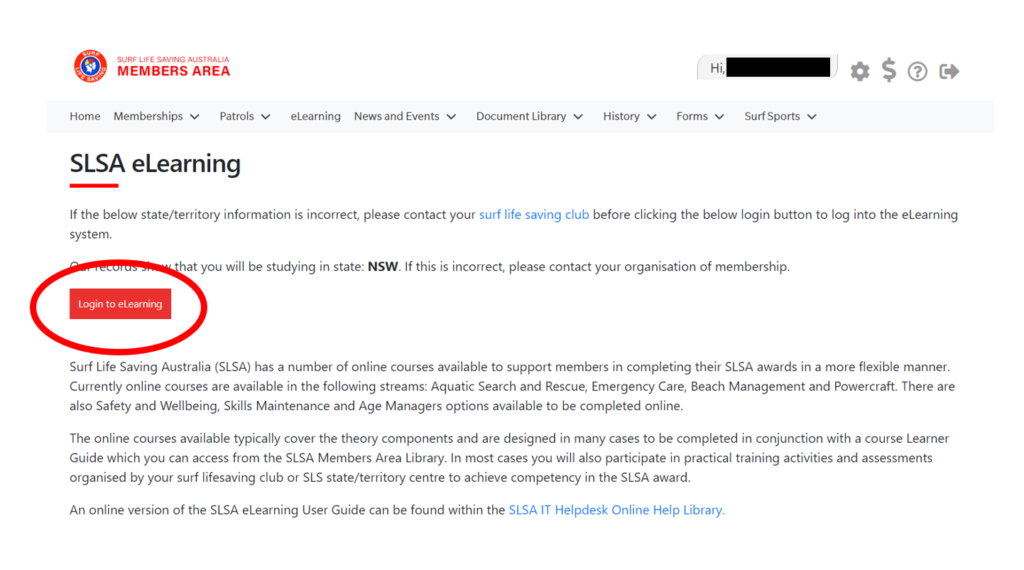 4. Go to Training Library > Skills Maintenance 2024/25 > View Courses
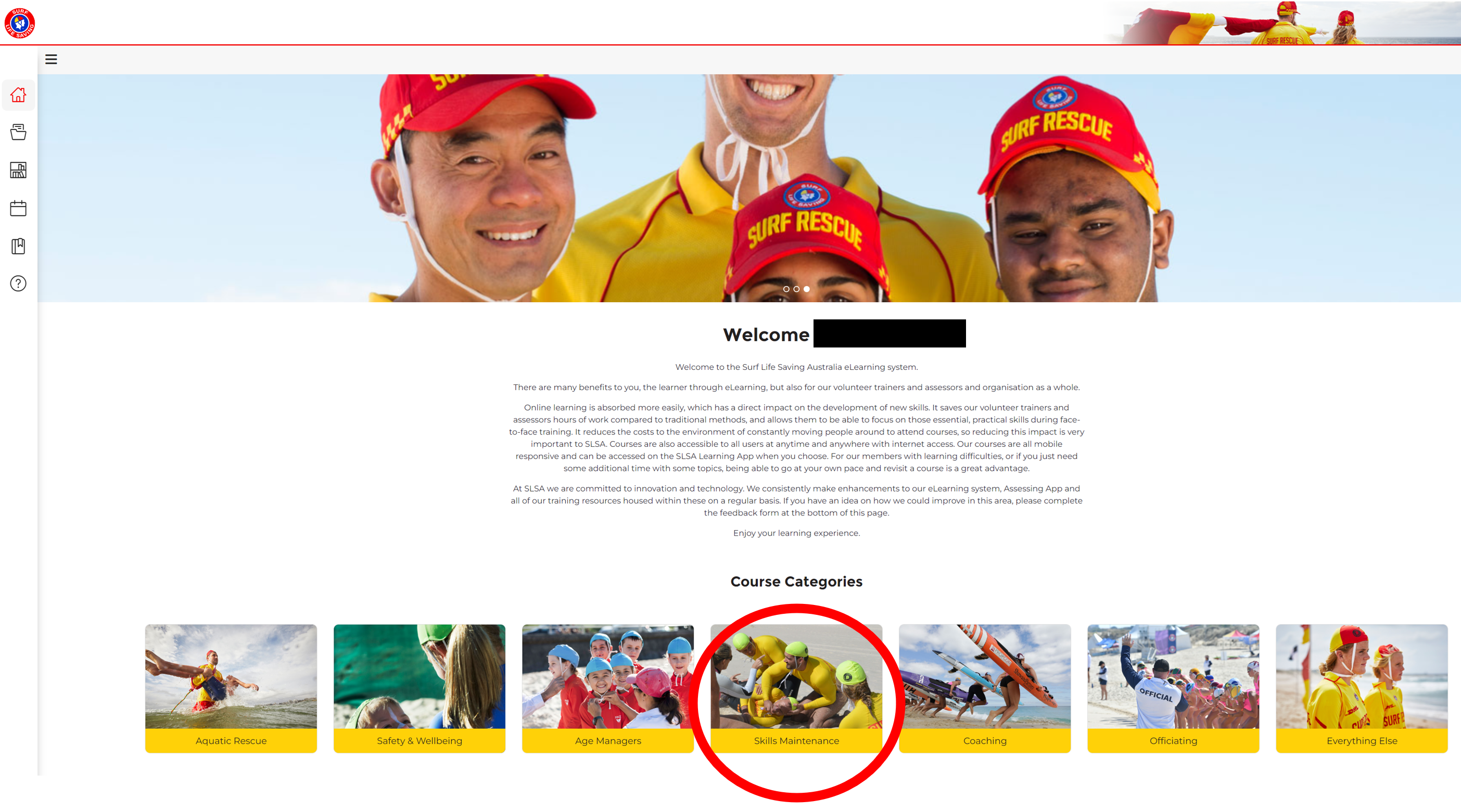
5. Click to enrol in 2024 Age Manager Skills Maintenance

6. Go to Training Library > SLS Age Managers> View Courses:
This will give you access to the content to complete the course, and change the status from “in progress” to “complete”

7. Watch the video on the SLSA eLearning platform
Note: the video below has been embedded just to test the embeded command on wordpress.
8. Once you watch the video (on the SLSA eLearning platform), Press “continue”

8. Next screen will give you access to the Age Manager Downloadable Guide, link provided below for your convenience:
https://resources.etrainu.com/SLSA/Age%20Manager%20Downloadable%20Guide.pdf

9. You will see the status changed from “in progress” to “complete’


10. Now, Click to enrol in SLS- Child Safe Awareness (This module should take 15 – 30 minutes to complete)
11. Go to My Training (on the sidebar) >Not Started or In Progress Courses > VIEW
12. Work through the (a) Child Safe Awareness Module and the (b) Age Manager Skills Maintenance. (this, already completed in steps 5-9)
12. Once completed, you will be able to see the completed courses (Under ‘My Training’) .
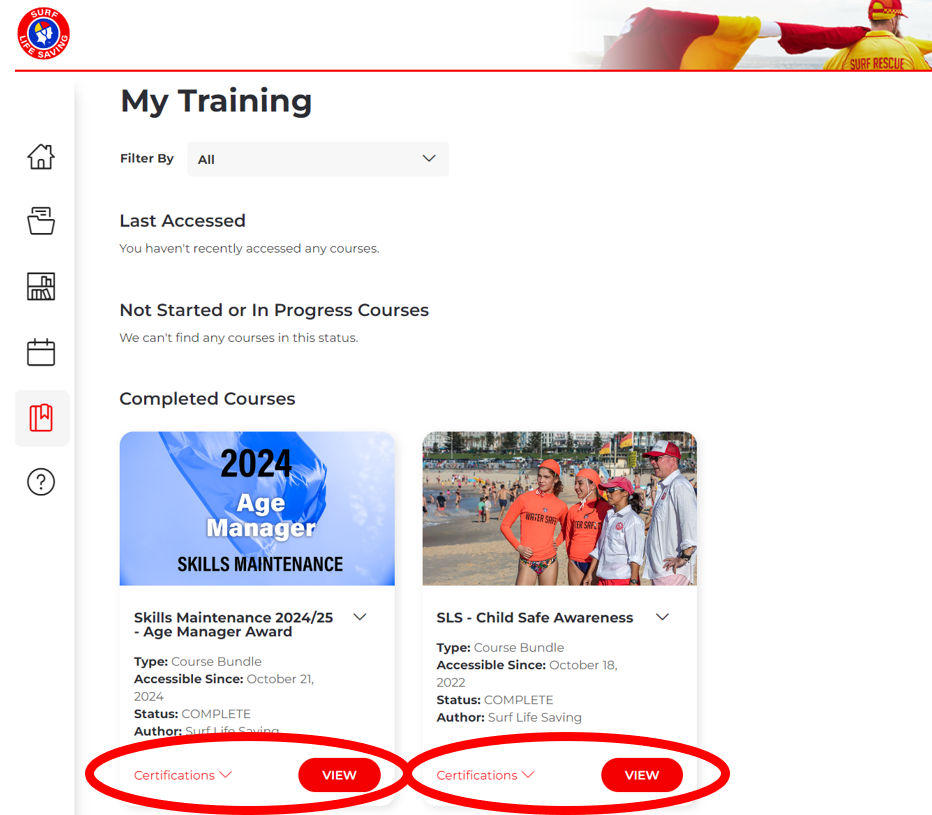
13. Download both certificates (step 12-above) and print them. Bring them to the nippers office where they have a list of all the people that completed the training. Nominate your age group, your name and your child’s name.
14.To get your new yellow cap, remember to bring your old yellow cap (to be recycled)

Contact Me
Leave a Reply